
WordPress 7.1.3 Security Update Released: 7 Security Fixes You Need to Know
WordPress 7.1.3 is now available with seven security fixes and four bug fixes. Here is what changed, which vulnerabilities were addressed, and what WordPress site owners should check before and after updating.

IN THIS ARTICLE Table of contents 15 sections
WordPress has released another important security update, and website owners should not treat this one as a routine maintenance patch.
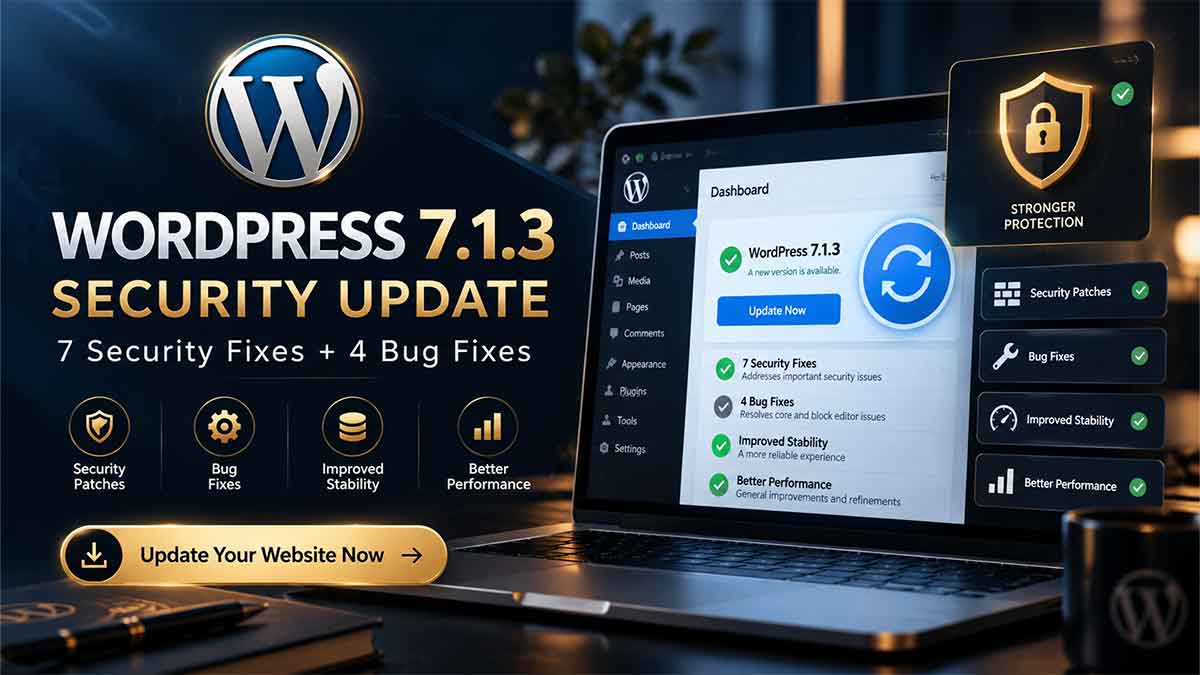
WordPress 7.1.3 was released on October 6, 2026 with seven security fixes and four bug fixes. WordPress.org classifies it as a security and maintenance release and recommends that site owners update immediately. Sites that support automatic background updates may already have started receiving the new version. WordPress.org
The update arrives only two weeks after WordPress 7.1.2, which addressed a separate critical-severity security vulnerability. Version 7.1.3 is different: instead of focusing on one issue, it addresses multiple weaknesses affecting comments, HTTP handling, exports, permissions, embeds, private content and internal WordPress hooks. WordPress.org
For business owners, the takeaway is straightforward.
If your website is still running WordPress 7.1.2 or an earlier vulnerable version, this is an update worth prioritising.
What changed in WordPress 7.1.3?
According to the official WordPress announcement, version 7.1.3 includes seven security fixes and four maintenance bug fixes. WordPress.org does not assign a single severity rating to the entire release or publish individual severity levels for all seven issues in the announcement, so it would be misleading to describe every vulnerability as “critical.” WordPress.org
What matters is the variety of areas affected.
The security fixes include:
| Security issue | What it means |
|---|---|
| Stored XSS in Comments administration | Malicious content in pending comments could affect the WordPress admin interface |
| Denial of Service issue | A flaw existed in WP_Http::make_absolute_url() |
| Second-order SQL injection | A vulnerability affected WordPress WXR export behaviour |
| Author permission weakness | Author-role users could make posts sticky |
| Private comment disclosure | Comments from private and unpublished posts could be exposed without authentication |
| Imgur embed XSS | Imgur embeds could create a cross-site scripting risk |
| WordPress hook collision issue | Manipulated status/type parameters could cause an action-name collision |
These fixes were reported by independent researchers, members of the WordPress security community, Patchstack, Trail of Bits and Anthropic. WordPress.org
The interesting part is not simply the number “seven.” Several of these issues affect areas that ordinary WordPress sites use every day.
The pending-comments XSS issue deserves attention
One of the fixes addresses a stored cross-site scripting vulnerability on the Comments administration page that could be exploited through pending comments.
Stored XSS is different from a simple broken interface or visual bug.
With stored XSS, malicious content can be saved somewhere in the application and later processed when another user views it. In this case, the vulnerable area involved the WordPress comments administration experience. WordPress credits Thomas Chauchefoin of Trail of Bits with reporting the issue. WordPress.org
This is particularly relevant for websites that allow public comments.
Blogs, media websites, membership platforms and content-heavy WordPress installations may process a large volume of user-generated comments. Even when comments require moderation before publication, pending comments still enter the administrative workflow.
That is an important distinction.
A comment does not necessarily need to become publicly visible before potentially becoming a security concern.
For website owners, the practical response is not to start deleting all comments.
It is to install the patched WordPress version.
WordPress also fixed a Denial of Service issue
Another vulnerability was found in the WP_Http::make_absolute_url() method.
WordPress describes this as a Denial of Service (DoS) issue and credits Anthropic with reporting it. WordPress.org
A DoS vulnerability generally concerns the availability of a system rather than directly stealing information. The objective or effect is to make an application or service unavailable, unstable or excessively resource-intensive under certain conditions.
For most WordPress business owners, there is no reason to investigate the internal method manually.
The important point is that the vulnerability existed in WordPress Core and the official fix is now available.
That is one of the reasons keeping WordPress Core updated matters even when a site uses a security plugin.
A plugin can add important defensive layers, but it does not replace fixes inside the CMS itself.
A second-order SQL injection was fixed in WordPress exports
WordPress 7.1.3 also fixes a second-order SQL injection affecting WXR exports.
WXR is the XML-based export format WordPress uses when content is exported through WordPress tools.
The term “second-order” is important.
In a conventional SQL injection, malicious input may affect a database query relatively directly. In a second-order scenario, problematic data can enter or remain in the application first and become dangerous later when another operation processes it.
The vulnerability was also reported by Anthropic. WordPress.org
For a typical small business owner who rarely uses WordPress export tools, this may sound less immediately relevant than a vulnerability affecting public pages.
But security decisions should not be based solely on which feature you remember using.
WordPress installations change over time. Content gets imported and exported, developers use migration tools, plugins interact with content data, and staging environments may process production information.
Updating removes the need to guess whether your exact workflow could trigger the vulnerability.
Author permissions were also corrected
The release fixes a weakness that allowed users with the Author role to make posts sticky.
This is a different category of security problem.
It is not primarily about an anonymous attacker reaching the site from the internet. It is about whether an authenticated user is allowed to perform an action that should fall outside their intended permissions.
WordPress has a detailed roles and capabilities model precisely because many websites have multiple users with different levels of trust.
A company may have Administrators, Editors, Authors and Contributors.
A magazine may have dozens of writers.
An agency may give a client limited access.
A membership or publishing platform may have even more complicated permission requirements.
Small capability bypasses matter because WordPress security is partly built around ensuring each role can only perform the operations it has been authorised to perform.
WordPress credits Anthropic with reporting this issue as well. WordPress.org
Private and unpublished comments could be disclosed without authentication
For many site owners, this may be one of the easiest vulnerabilities in the release to understand.
WordPress fixed an issue that could allow unauthenticated disclosure of comments associated with private and unpublished posts. The vulnerability was reported by Ananda Dhakal from Patchstack. WordPress.org
A private or unpublished post is normally expected to remain outside public access.
The same expectation naturally applies to discussions or comments associated with that content.
The important phrase here is unauthenticated disclosure.
It means the problem involved information potentially becoming available without requiring the visitor to log into WordPress.
That does not mean every WordPress site running an older version has had private comments stolen.
It means a flaw existed that could break the intended access boundary, and WordPress has now corrected it.
Sites that use private posts for editorial work, internal content, memberships or pre-publication collaboration have an obvious reason to update.
Imgur embeds received an XSS security fix
WordPress also fixed an XSS vulnerability involving Imgur embeds.
Embedding external media is one of the features that makes WordPress convenient for publishers. A user can often paste supported content into the editor and WordPress handles much of the presentation automatically.
But external embed systems also create an additional trust boundary between WordPress and content hosted elsewhere.
The 7.1.3 release addresses an XSS risk involving Imgur embeds, reported by Zhengyu Liu, Jingcheng Yang and Gavin Zhong. WordPress.org
Even if your own website does not currently use Imgur, this illustrates a broader WordPress security principle:
The security of a content management system is not limited to login pages and passwords.
Media processing, embeds, comments, imports, exports and permission checks all form part of the attack surface.
The seventh fix affects internal WordPress hooks
The final security item in the official announcement concerns parameters passed to the dynamic {status}_{type} hook.
WordPress says forgeable parameters could create an action-name collision. The issue was reported by Alex Concha of the WordPress security team. WordPress.org
This one is much more developer-oriented than the other vulnerabilities.
Most site owners will never interact directly with this hook.
Plugin and theme developers, however, rely heavily on WordPress actions and filters to extend Core functionality. Dynamic hooks can become especially sensitive when user-controlled or insufficiently validated values affect which action is triggered.
The practical recommendation remains the same.
You do not need to rewrite your site to solve it.
Update Core.
What about the four bug fixes?
WordPress 7.1.3 is also described as a maintenance release with four bug fixes, although the main official release announcement focuses primarily on the seven security issues. WordPress.org
One confirmed Core issue targeted for 7.1.3 involved the WordPress site icon in the admin toolbar.
WordPress 7.1 could allow some theme or plugin CSS rules to override the toolbar icon dimensions, causing the site icon to appear at its full image size instead of its intended small toolbar size. The fix constrains the site's toolbar icon dimensions more reliably. WordPress Trac
For most businesses this is obviously far less important than the security fixes.
But it is a useful reminder that minor WordPress releases often combine security work with smaller compatibility and interface corrections.
Should you update WordPress 7.1.3 immediately?
Yes.
That recommendation is not based on creating urgency for the sake of an article. It is the official recommendation from WordPress.org because 7.1.3 is a security release. WordPress.org
For a simple site with current plugins, a maintained theme and reliable backups, updating may be very straightforward.
For a WooCommerce store, membership site, heavily customised WordPress installation or business-critical website, I would still update quickly — but through a controlled process.
The distinction matters.
“Update immediately” does not need to mean “make an untested change on your most important production website with no backup.”
It means the security update should become a priority.
Before updating, create a recoverable backup
A good WordPress update process starts with a backup.
Not simply a backup plugin that says the last job completed successfully.
For an important website, you should know that you have access to both the files and database and that there is a practical restoration path if something goes wrong.
If your hosting provider creates server snapshots, confirm that a recent one exists.
If you use an external backup service, confirm the most recent successful backup.
For a particularly important ecommerce or lead-generation site, consider how much data can change between the backup and update.
A WooCommerce store receiving orders every few minutes has different backup requirements from a small corporate brochure site that changes once a month.
This is one reason WordPress maintenance should be adapted to the business instead of relying on the same checklist for every installation.
Test more than the homepage after updating
Once WordPress 7.1.3 is installed, confirm the version in Dashboard → Updates.
Then test the functionality the business actually depends on.
For a lead-generation site, submit the contact forms and make sure enquiries reach the correct destination.
For WooCommerce, test important store functionality.
For a membership website, test login and account access.
If WordPress connects to external applications, CRM systems or automation workflows, confirm that those connections still behave correctly.
Check the WordPress administration area as well.
Editors should be able to edit and publish content.
Media should work.
Comments should be accessible.
Custom post types and important plugins should behave normally.
This is particularly relevant because the current release touches several different parts of WordPress Core rather than one isolated component.
A professional update process therefore looks more like:
Backup → Update → Functional Test → Security Check → Monitor
rather than simply:
Click Update → Done
Does a security plugin protect you if WordPress Core is outdated?
Not completely.
A security plugin may provide firewall rules, login protection, malware scanning, file monitoring and many other valuable controls.
But when the vulnerability exists in WordPress Core, the cleanest fix is normally the patched Core release.
Security tools should be considered additional layers, not substitutes for updating the software.
The same principle applies to themes and plugins.
A well-maintained WordPress website is not defined by whether Wordfence, Sucuri or another security product is installed.
It is the result of several layers working together:
maintained Core, trusted plugins, supported themes, sensible user permissions, secure hosting, backups, monitoring and a controlled update process.
If one of those layers is consistently ignored, technical debt begins accumulating.
You can find related [WordPress and web development services](/#services) if you are reviewing more than the update itself and want to assess the condition of the wider site.
What if your site is running an older WordPress branch?
WordPress says the security fixes are being backported where necessary to branches eligible for security fixes, currently through WordPress 4.7. However, the project also explicitly reminds users that only the most recent WordPress version is actively supported. WordPress.org
This distinction is important.
Receiving a security backport does not necessarily mean running a very old WordPress branch is a good long-term maintenance strategy.
Old versions can create increasing compatibility issues with PHP, themes, plugins, hosting environments and development tooling.
If a business site is several major releases behind, I would not view the 7.1.3 announcement only as a reminder to install a patch.
It is also a reason to review why the site has fallen behind.
Sometimes the answer is simple: updates have been neglected.
Other times, the site cannot update safely because an old plugin or custom theme has become a dependency.
That is a larger maintenance problem that should be addressed rather than postponed indefinitely.
WordPress 7.1.3 is a good reminder that maintenance is part of website ownership
WordPress 7.1.3 is now the latest release in the WordPress 7.1 branch, replacing 7.1.2 as the current version listed in the official release archive. WordPress.org
It fixes seven distinct security issues across several areas of WordPress and includes four additional bug fixes.
For website owners, the most useful response is not panic.
It is process.
Check your WordPress version. Make sure a recent backup exists. Apply the update. Test the website's important functionality. Confirm that forms, checkout, logins and integrations still work. Then continue monitoring the site.
The businesses that struggle most with WordPress security are often not the ones that missed a single update for one day.
They are the ones where nobody knows who owns maintenance, updates are avoided because the site might break, backups are uncertain, and plugin dependencies have accumulated for years.
If your site is in that position, WordPress 7.1.3 is a good reason to review more than the version number.
You can look through the [services](/#services) and [portfolio](/#portfolio), or [send the website details](/#contact) for a WordPress review focused on security, updates, performance, plugins, technical SEO and maintainability.