
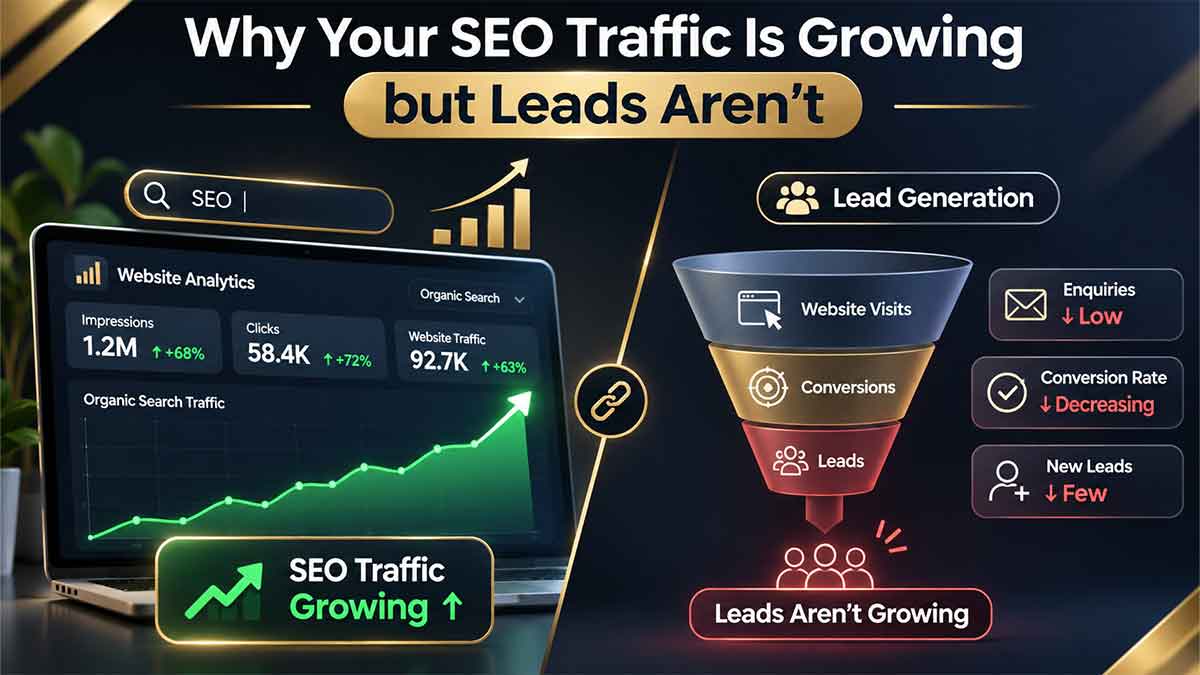
Why Your SEO Traffic Is Growing but Leads Aren’t?
Getting more organic traffic but no enquiries? Discover 10 reasons your SEO traffic isn't converting and learn how to turn website visitors into qualified leads.

IN THIS ARTICLE Table of contents 33 sections
Introduction: More Website Traffic Doesn't Always Mean More Customers
Imagine checking your Google Analytics dashboard and seeing your organic traffic increase by 40% over the last few months.
Your website is attracting more visitors, your pages are appearing in more Google searches, and your SEO strategy seems to be working.
But there is one problem.
Your inbox is still quiet. Contact form submissions haven't increased, potential customers aren't requesting quotes, and your sales figures remain almost unchanged.
If this sounds familiar, you're not alone.
One of the biggest misconceptions in digital marketing is that more website traffic automatically leads to more sales. In reality, attracting visitors is only the first step. What happens after someone lands on your website is just as important.
SEO traffic without leads usually points to a gap between attracting the right audience, meeting their expectations, building trust, and making it easy to take the next step.
The good news is that you may not need more traffic. You may need to make better use of the traffic you already have.
In this guide, we'll examine 10 common reasons why organic traffic fails to generate leads, how to identify the problem using Google Search Console and Google Analytics 4, and what you can do to turn more visitors into genuine business opportunities.
1. First, Understand Why SEO Traffic Isn't Converting
Before changing your website or publishing more content, you need to identify where potential customers are leaving your conversion journey.
A typical organic lead-generation journey looks like this:
Someone searches for a product, service, or solution on Google.
Your website appears in the search results.
The person clicks your page.
They evaluate your content and decide whether your business is relevant.
They explore your services, portfolio, or pricing.
They contact you, request a quote, or book a consultation.
Your business qualifies the enquiry and follows up.
A problem at any stage can reduce the number of leads you receive.
For example, your website might rank well for informational searches but attract visitors who aren't ready to purchase. Alternatively, your visitors may have genuine buying intent but leave because your service page doesn't explain what you offer.
The first step is to stop looking at traffic as a single number and start analysing the entire journey.
2. Check Whether You're Attracting the Right Search Intent
Not every Google search represents the same level of buying intent.
Consider these searches:
| Search Query | User Intent | Lead Potential |
|---|---|---|
| What is SEO? | Learning | Low |
| How does SEO work? | Research | Low to medium |
| SEO consultant for small business | Finding a provider | High |
| Technical SEO audit services | Comparing services | High |
| Request an SEO consultation | Ready to act | Very high |
A website can attract thousands of visitors from broad informational keywords without generating many enquiries.
That doesn't mean informational content is useless. It helps people discover your brand and builds familiarity. However, informational traffic needs a relevant path toward your commercial pages.
How to identify an intent mismatch
Open Google Search Console and navigate to the Performance report.
Review:
Which search queries generate the most clicks?
Are visitors searching for information or professional services?
Which pages receive the most organic traffic?
Do the queries match the actual service offered on each page?
Are you attracting visitors from countries and markets you can serve?
If your most visited pages attract people looking for free information, while your business sells professional services, you may have an audience-intent mismatch.
How to fix it
Build your keyword strategy around different stages of the customer journey.
For example:
Informational content should answer questions and introduce relevant solutions.
Commercial content should compare approaches, explain benefits, and demonstrate expertise.
Transactional pages should make it easy to understand your services and request a proposal.
Don't try to turn every informational article into a sales page. Instead, create natural connections between related topics and the services that solve the reader's problem.
3. You're Getting Traffic, but Your Website Doesn't Have a Clear Conversion Path
This is one of the most overlooked reasons websites fail to generate leads.
A visitor reads your article, finds the information useful, and then leaves.
Why?
Because the website hasn't shown them what to do next.
Publishing useful content is important, but every important page should also help readers move toward a relevant next step.
For example, someone reading an article about technical SEO problems might benefit from:
A technical SEO audit service.
A website performance assessment.
A real project example.
A consultation about their website's technical issues.
Without these connections, your content may generate traffic without contributing meaningfully to your business.
Improve your internal linking strategy
Internal links should connect related content with relevant service pages.
For example:
An article about SEO performance can link to your SEO consulting and technical SEO services.
An article about website usability can link to your web design services.
A discussion about real SEO implementation can direct readers to the 3UP Gaming project.
These links should appear naturally where they provide additional value.
Avoid adding unrelated links simply to increase the number of internal links on a page.
The objective is to help visitors discover the next useful resource while making your website structure easier to understand.
4. Your Landing Page Doesn't Match What Visitors Expected
Imagine someone searching for:
"SEO consultant for a small business"
They click your website and arrive on a page filled with general information about digital marketing.
They still don't know:
What services you provide.
Whether you work with businesses like theirs.
What problems you can solve.
What the process involves.
How they can get started.
The visitor may leave, even though they were actively looking for professional help.
This is a landing-page relevance problem.
What a high-quality service landing page should include
A strong landing page should answer the visitor's most important questions quickly.
1. A clear headline
Explain what you offer and who benefits from it.
2. A specific value proposition
Describe the business problem you solve rather than relying on vague marketing language.
3. Defined deliverables
Explain what the client receives, such as a technical audit, keyword strategy, implementation recommendations, or ongoing optimisation.
4. Evidence of experience
Show relevant projects, screenshots, genuine testimonials, and examples of your work.
5. A clear next step
Make it obvious how visitors can request an assessment or discuss their project.
A good landing page doesn't need excessive animations or complicated visual effects. It needs to communicate value clearly and remove uncertainty.
5. Your Call to Action Isn't Persuasive Enough
A call to action (CTA) tells visitors what they can do next.
However, generic phrases such as "Contact Us" or "Learn More" don't always communicate enough value.
Compare these examples:
| Generic CTA | More Specific CTA |
|---|---|
| Contact Us | Discuss Your SEO Project |
| Learn More | Explore Our SEO Strategy |
| Get Started | Request a Technical SEO Review |
| Send Message | Request a Project Estimate |
The second column gives visitors a clearer understanding of what happens after clicking.
Where should you place CTAs?
Consider placing relevant calls to action:
Near the introduction, for visitors who already know what they need.
After explaining an important problem and its solution.
Alongside a relevant case study or proof section.
At the end of the article.
Your CTA should match the reader's level of readiness.
Someone researching SEO for the first time may prefer a practical checklist. Someone comparing consultants may be ready to request a consultation.
The best CTA is not necessarily the most aggressive one. It is the one that makes the next step feel useful and appropriate.
6. Your Website Doesn't Build Enough Trust
People rarely submit their business details to a website simply because it ranks well on Google.
They need a reason to believe that your business can deliver what it promises.
This is particularly important for professional services, where choosing the wrong provider can cost a business time and money.
If your website makes impressive claims without supporting evidence, visitors may hesitate.
Practical ways to build trust
Show real projects
Publish relevant portfolio examples that explain the business challenge, the work completed, and the outcome where it can be verified.
Explain your process
Describe how you approach projects, what information you need, and what clients can expect at each stage.
Make your expertise visible
Use accurate author information, relevant professional experience, and links to genuine work.
Be transparent
Explain your scope, deliverables, limitations, and pricing approach where possible.
Use credible evidence
Support technical and strategic recommendations with reliable documentation and sources.
For example, the 3UP Gaming project provides a relevant example of website design and SEO work that visitors can explore.
Never invent client results, testimonials, or performance statistics to make a service appear more credible.
Trust comes from evidence, not exaggerated promises.
7. Your Contact Form Is Making It Difficult to Become a Lead
Sometimes the visitor is interested and ready to contact you, but the form creates unnecessary friction.
Consider a business owner who wants a website redesign.
They click your contact button and encounter a form asking for:
Full name
Company registration number
Company address
Job title
Annual revenue
Monthly marketing budget
Phone number
Email address
Social media accounts
Project description
Several other unnecessary details
At this point, submitting the form may feel like too much work.
Make your contact form easier to complete
Start with the information you genuinely need:
Name
Email address
Service required
Short project description
You can collect additional information during the initial conversation.
Also check:
Does the form work correctly on mobile?
Are validation errors easy to understand?
Does the submit button clearly communicate its purpose?
Does the user receive confirmation after submitting?
Are successful submissions actually recorded in your analytics?
Does the form explain what happens next?
A shorter form isn't automatically better in every situation. The right form collects enough information to qualify enquiries without creating unnecessary barriers.
8. Mobile Experience and Website Performance Are Hurting Conversions
A website might look excellent on a desktop computer but provide a frustrating experience on a smartphone.
This matters because potential customers often discover businesses while browsing on mobile devices.
Common problems include:
Buttons that are difficult to tap.
Text that is too small.
Forms that are difficult to complete.
Navigation that hides important information.
Pop-ups that cover the main content.
Images that load too slowly.
Layout elements that unexpectedly move while loading.
These problems can interrupt the conversion journey.
Check your Core Web Vitals
Google's Core Web Vitals provide useful measurements of real-world user experience.
The current recommended good thresholds are:
| Metric | What It Measures | Good Threshold |
|---|---|---|
| LCP | Loading performance | 2.5 seconds or less |
| INP | Interaction responsiveness | 200 milliseconds or less |
| CLS | Visual stability | 0.1 or less |
These thresholds are evaluated at the 75th percentile of real user experiences.
You can use PageSpeed Insights and the relevant Chrome and Google performance reports to investigate issues.
However, don't assume that improving a single performance metric will automatically increase leads. Performance is one part of the overall experience. Your messaging, usability, relevance, and offer still matter.
9. You're Not Attracting the Right Geographic or Business Audience
This issue is particularly important for companies selling professional services in specific markets.
Imagine that your business provides SEO consulting to companies in the United Kingdom, Germany, and other international markets.
Your website starts attracting significant organic traffic, but most visitors are searching for services in countries you don't serve.
Traffic increases, but enquiries remain low.
The same problem can happen when a website attracts:
Students looking for educational material.
Job seekers looking for employment.
People searching for free tools.
Visitors interested in services outside your expertise.
Businesses with budgets that don't match your offer.
How to identify the problem
Use Google Search Console to analyse:
Country
Device
Search query
Landing page
Then compare the results with your actual target market.
Your keyword strategy should reflect the businesses you want to work with, the services you provide, and the markets you can realistically serve.
More visitors are valuable only when they represent a relevant audience.
10. Your Analytics Tracking Isn't Measuring Real Leads
This is a technical problem that can make an otherwise healthy website appear unsuccessful—or make a poorly performing website appear successful.
For example, your Google Analytics dashboard might record hundreds of button clicks.
But how many people actually completed a contact form?
These are two different actions.
A button click is an interaction. A successfully submitted enquiry is a lead.
Set up meaningful conversion tracking with GA4
Google Analytics 4 supports key events that help businesses measure important actions.
For a lead-generation website, consider tracking:
| Event | What It Measures |
|---|---|
form_start | A visitor starts completing a form |
form_submit | A form submission occurs |
generate_lead | A meaningful lead-generation action |
click_to_call | A visitor clicks a telephone link |
email_click | A visitor clicks an email link |
book_appointment | A visitor completes a booking |
Use the recommended generate_lead event when appropriate.
Importantly, configure the lead event to represent a successful submission rather than simply clicking the submit button. Verify the event using GA4 Realtime or DebugView, and prevent duplicate events.
You should also connect lead information to your CRM or another reliable tracking system where appropriate.
This allows you to distinguish between:
Total website visitors.
Form interactions.
Successful enquiries.
Qualified leads.
Sales opportunities.
Actual customers.
Google Analytics can help you understand website behaviour, but a CRM or sales system is often necessary to determine whether an enquiry becomes a real business opportunity.
11. How to Diagnose the Exact Problem: A Practical SEO-to-Lead Framework
Rather than making random changes, use the following diagnostic framework.
| What You Observe | Likely Problem | Recommended Action |
|---|---|---|
| Impressions increase, but clicks don't | Weak search result relevance or CTR | Review queries, title and description |
| Clicks increase, but leads remain flat | Intent or conversion problem | Analyse landing pages and user journeys |
| Blog traffic increases, but service enquiries don't | Weak internal linking | Connect relevant articles to service pages |
| Visitors reach the contact page but don't submit | Form friction or trust issues | Test and simplify the enquiry process |
| Form submissions increase, but qualified leads don't | Poor audience targeting | Refine keywords and service positioning |
| Qualified leads increase, but sales don't | Sales process or offer problem | Review pricing, proposals and follow-up |
This distinction is important: not every problem that appears in an SEO report can be solved by changing keywords.
Sometimes the real issue is the landing page. Sometimes it is the offer. And sometimes the website is working correctly, but the sales process needs attention.
The three metrics that matter most
Instead of measuring success through traffic alone, monitor these metrics.
1. Organic visitor-to-lead rate
Formula:
Valid organic leads ÷ Organic landing-page sessions × 100
This shows what percentage of organic landing-page sessions result in a valid enquiry.
2. Lead qualification rate
Formula:
Qualified organic leads ÷ Valid organic leads × 100
This helps you understand whether your website attracts the right potential customers.
3. Lead-to-customer rate
Formula:
New customers from organic leads ÷ Qualified organic leads × 100
This connects your SEO activity to actual business results.
Illustrative example:
Suppose a website receives 1,000 organic landing-page sessions and generates 12 valid enquiries.
Its visitor-to-lead rate is 1.2%.
If five of those enquiries are qualified opportunities, the qualification rate is approximately 41.7%.
These figures are examples, not industry benchmarks. Your target should depend on your business model, sales cycle, audience, and service pricing.
12. A Practical 7-Day Plan to Turn SEO Traffic Into Leads
If your website already receives organic traffic, you don't necessarily need to rebuild everything.
Start with a focused improvement plan.
| Day | Task | Expected Outcome |
|---|---|---|
| Day 1 | Verify GA4 and form tracking | Reliable lead data |
| Day 2 | Identify high-traffic landing pages | Find conversion opportunities |
| Day 3 | Analyse Search Console queries | Identify intent mismatches |
| Day 4 | Review service pages and CTAs | Improve message relevance |
| Day 5 | Test forms and mobile usability | Reduce conversion friction |
| Day 6 | Add relevant proof and internal links | Improve trust and navigation |
| Day 7 | Review baseline and prioritise changes | Create an improvement roadmap |
Don't change everything simultaneously.
Start with the most obvious bottleneck, measure the result, and then move to the next improvement.
This makes it easier to understand which changes actually help.
Frequently Asked Questions
Why is my website getting traffic but no enquiries?
Common reasons include irrelevant search intent, weak landing pages, unclear service offers, insufficient trust, difficult contact forms, and missing conversion tracking.
Start by checking which pages receive organic traffic and whether those visitors match your target audience.
Is high organic traffic always good for SEO?
Not necessarily.
Traffic is useful when it attracts relevant visitors and supports business objectives. A smaller number of highly relevant visitors can create more valuable opportunities than a much larger audience with no interest in your services.
How do I convert organic traffic into qualified leads?
Focus on three areas:
Target keywords that reflect your ideal customers' needs.
Build relevant landing pages with clear offers and evidence.
Measure successful enquiries and qualification outcomes.
Relevant internal links, clear CTAs, and a straightforward contact process can also improve the visitor journey.
Should I publish more blog posts if my traffic isn't generating leads?
Not automatically.
Before publishing more content, examine your existing pages. Some may need better search intent alignment, updated information, stronger internal links, or a clearer connection to your services.
More content won't necessarily solve a conversion problem.
Does website speed affect lead generation?
It can.
Slow loading, delayed interactions, and unstable layouts can make it harder for visitors to use your website. However, speed is only one part of the conversion experience. Your content, offer, design, trust signals, and contact process also matter.
How long does it take to improve SEO conversions?
There is no universal timeline.
Technical fixes and form improvements may produce observable changes relatively quickly, while content strategy, search intent, rankings, and qualified lead growth may take longer.
The right approach is to establish a baseline, make measurable improvements, and evaluate results over a meaningful period.
Final Thoughts: Stop Measuring SEO Success by Traffic Alone
Growing organic traffic is a positive sign, but it should not be the final objective of your SEO strategy.
A successful business website needs to do more than appear in Google.
It needs to attract the right people, answer their questions, demonstrate why your business is worth trusting, and make the next step easy.
If your website is already receiving visitors but isn't generating enough enquiries, the next step may not be another keyword campaign or another batch of blog posts.
It may be time to examine the connection between SEO, user experience, landing-page quality, and conversion tracking.
At Mahyar Molavi, the focus is on connecting technical SEO, website development, and user experience with measurable business goals.
If you want to understand why your organic traffic isn't turning into qualified opportunities, start with a focused review of your website.
Ready to turn more organic traffic into real business opportunities?
Request a conversion-focused SEO review and let's identify the gaps between your website traffic and your business goals.
References and Further Reading
Author: Mahyar Molavi
Professional Focus: SEO, Web Development, Technical SEO, and Digital Growth