
n8n vs Zapier in 2026: Which Automation Platform Is Better for Your Business?
n8n and Zapier can both automate business workflows, but they are designed around different priorities. This 2026 comparison looks at pricing, integrations, AI workflows, self-hosting, flexibility, maintenance, and the type of business each platform fits best.

IN THIS ARTICLE Table of contents 18 sections
Choosing between n8n and Zapier in 2026 is no longer simply a question of which tool can connect two apps.
Both platforms have moved far beyond basic “when this happens, do that” automation. They can now participate in larger systems involving CRMs, databases, websites, APIs, AI models, agents, forms, internal tools, and multi-step operational processes.
The more useful question is therefore not:
Which automation platform is better?
It is:
Which platform is better for the type of automation your business needs to operate and maintain?
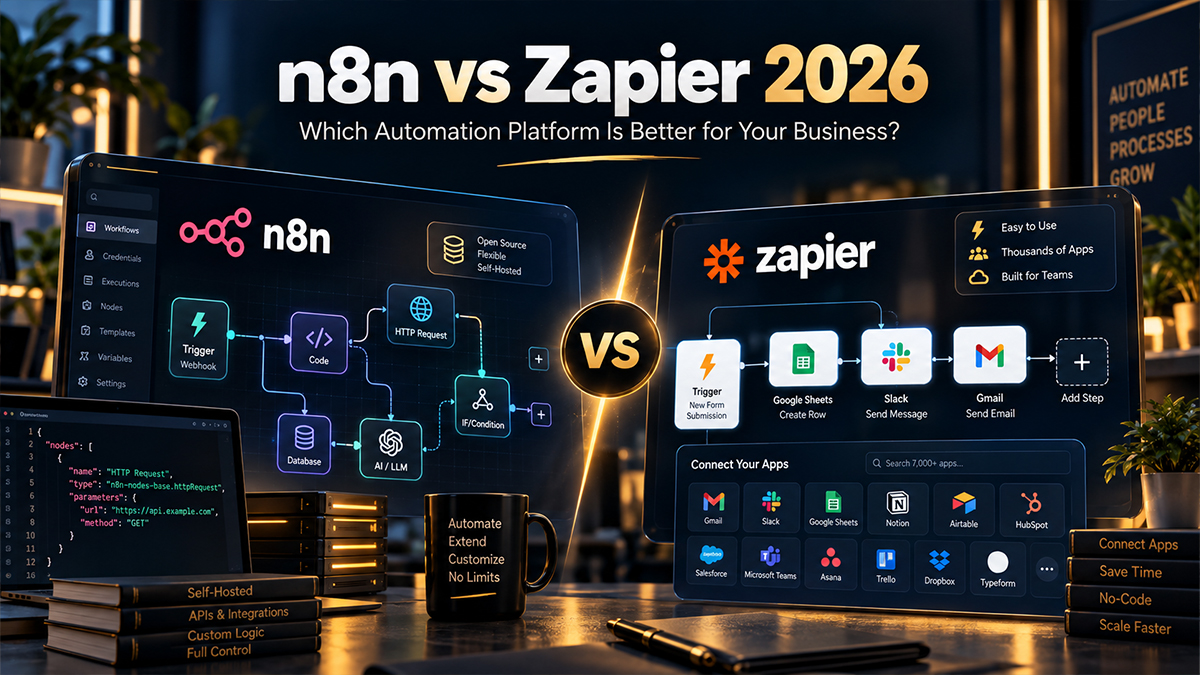
For many businesses, Zapier is the faster route from an idea to a working no-code automation. It currently offers more than 9,000 app integrations and packages workflows together with tools such as Forms, Tables, MCP, SDK access, and AI capabilities. n8n takes a more technical and flexible approach, with self-hosting, code steps, custom API requests, AI agents, MCP, and pricing based primarily on complete workflow executions rather than charging for every successful workflow step.
Neither philosophy is automatically better.
A sales team that wants to connect popular SaaS applications without involving a developer may reach a different conclusion from a company building a custom AI workflow around its own API and database.
That distinction should guide the decision.
The main difference is not the workflow editor
At first glance, n8n and Zapier appear to solve the same problem.
A trigger starts a workflow, data moves through several actions, and different applications communicate without somebody manually copying information between them.
The important differences appear as the workflow becomes more complex.
Zapier has historically focused heavily on making automation accessible to business users. Its large integration catalogue means that for common tools such as Google Sheets, Gmail, Slack, HubSpot, Shopify, WooCommerce, Notion, and thousands of other SaaS products, there is a good chance that a native integration already exists. Zapier's current app directory lists more than 9,000 integrations.
n8n is also a visual workflow platform, but it gives technical users much more direct access to the underlying logic. Its current pricing documentation lists support for JavaScript and Python code steps, custom HTTP and GraphQL requests, webhooks, queues, API control, AI agents, MCP, and additional developer functionality. Its integration directory currently lists more than 2,000 integrations, while custom API access makes it possible to connect systems that do not have a dedicated node.
This creates a practical difference in how the platforms feel.
Zapier often asks:
Which applications do you want to connect?
n8n is usually more comfortable with the broader question:
What system do you want to build?
For simple workflows, that distinction may barely matter. For complex operational automation, it can become the deciding factor.
Zapier is usually easier to start with
If a non-technical marketing, sales, HR, or operations team wants to automate a straightforward process, Zapier remains extremely attractive.
Imagine a company that wants to collect Facebook leads, add them to a CRM, notify Slack, and create a follow-up task.
This type of workflow fits naturally into Zapier's model. The integrations already exist, the interface is designed around business applications, and somebody who understands the process but does not write code can often build or modify the automation.
That accessibility has real business value.
Automation should not automatically require an engineer every time somebody wants to change an email recipient or add another condition.
Zapier has also evolved beyond Zaps alone. Its current paid platform includes access to Forms and Tables, while its broader automation toolkit includes MCP and SDK capabilities. The Professional plan currently starts at $19.99 per month, while Team starts at $69 per month.
For organisations that mainly use established cloud applications and want business teams to own their workflows, this simplicity can be more important than deep technical flexibility.
A technically superior architecture that nobody inside the company can safely edit may not be the better business solution.
n8n becomes more attractive as custom logic increases
The balance changes when the automation begins to behave more like software.
Suppose a workflow needs to call a custom API, transform complicated JSON, execute some Python, query a database, branch through several business rules, communicate with an AI model, call another internal service, and then handle multiple failure scenarios.
This is where n8n's technical orientation becomes much more valuable.
Developers can mix visual nodes with JavaScript or Python, make direct HTTP or GraphQL requests, trigger workflows from webhooks and queues, and build custom integrations where necessary. Self-hosted environments can go further with features such as custom nodes and additional infrastructure control.
That does not mean n8n is only for developers.
Many ordinary workflows can still be built visually.
The difference is that when the visual layer is no longer enough, the platform gives you more places to continue rather than forcing the process into the limits of prebuilt connectors.
For businesses with custom software, internal databases, unusual APIs, or a technical team, that flexibility can be a major advantage.
It also aligns naturally with the type of web development and backend work where automation needs to interact with systems beyond standard SaaS applications.
The pricing models are fundamentally different
Comparing the subscription prices alone can be misleading because n8n and Zapier meter automation differently.
n8n currently prices its main plans around workflow executions. A workflow can contain many steps, but when it runs from beginning to end, that complete run counts as an execution. The Starter plan is currently €20 per month when billed annually for 2,500 executions, while Pro is €50 per month for 10,000. n8n explicitly describes its model as paying for full executions rather than each individual step.
Zapier primarily uses tasks.
A successful unit of work performed by a Zap consumes tasks, and several successful actions in a single workflow can therefore consume multiple tasks. Zapier's own current documentation states that successful workflow steps use tasks, while some newer AI and programmatic features can use tasks at different rates.
Consider a simplified workflow with ten successful action steps.
If it runs 1,000 times, the economics can look very different depending on how each platform meters those executions.
That does not automatically mean n8n will always be cheaper.
Zapier may allow a business to build the process faster, avoid infrastructure work, and maintain it internally without technical support. Those savings can be worth much more than the difference in platform usage.
But as workflows become long and execute frequently, the billing model deserves careful analysis.
The correct calculation is not simply the monthly subscription.
It is:
Platform cost + implementation cost + maintenance cost + internal time required to operate the system.
That total is far more useful than comparing two pricing-page headlines.
AI automation makes the pricing difference even more important
AI has made automation platforms more capable, but it has also made workflow cost less predictable.
Both platforms now treat AI as a core part of their products.
n8n's current plans include agents, MCP, AI nodes, and related AI capabilities. Because its core pricing model uses complete executions, complex workflows with many ordinary steps are not automatically billed as a separate platform task for each step. External AI model usage can still create its own API costs, of course.
Zapier has also developed a broad AI automation platform, including AI fields, agents, MCP, and AI workflow tools. In June 2026, however, Zapier introduced model-tier pricing for AI by Zapier. Standard AI steps have a 1x task rate, Advanced uses 3x, and Premium uses 5x; tool calls can add additional usage at the selected tier.
This does not make Zapier a poor AI platform.
It means AI-heavy workflows need to be designed with usage economics in mind.
Imagine an agent that receives a request, calls several tools, transforms data, asks a model to analyse the result, updates a CRM, and sends a response. The automation may be extremely valuable, but its cost profile is different from a basic two-step Zap.
The same principle applies to n8n.
Self-hosting or execution-based pricing does not make AI inference free. OpenAI, Anthropic, Gemini, embedding providers, databases, enrichment APIs, and other external services may all have their own usage fees.
When designing AI automation, the right question is not which platform advertises AI more heavily.
The question is how often the system runs, how many external services it calls, and whether the business value produced by each run justifies the cost.
Zapier wins clearly on native app coverage
For many buyers, this may be the simplest deciding factor.
Zapier currently lists more than 9,000 app integrations, making its catalogue substantially larger than n8n's native integration ecosystem.
If a company uses a long list of niche SaaS products, Zapier may already have ready-made connectors for nearly all of them.
That reduces development effort and makes workflows easier for non-technical employees to understand.
n8n's catalogue is smaller, although it has grown considerably and currently lists more than 2,000 integrations. More importantly, the platform's generic HTTP capabilities and code support mean the absence of a native node does not necessarily prevent integration.
The trade-off is therefore straightforward.
Zapier often gives you more integrations without technical work.
n8n often gives you more freedom when technical work is acceptable.
If your applications already exist in both platforms, the raw integration count becomes much less important. In that case, workflow complexity, pricing, governance, and maintenance should carry more weight.
Self-hosting is one of n8n's strongest differentiators
For some organisations, this alone can decide the comparison.
n8n provides a self-hosted Community Edition and commercial self-hosted options. Its Business plan is currently self-hosted, while Enterprise can be deployed through n8n or self-hosted depending on requirements.
Self-hosting can provide greater control over infrastructure, networking, database configuration, execution environments, and where workflow data is stored.
That can matter when a business has internal systems that are difficult to expose publicly or stronger requirements around infrastructure control.
But self-hosting comes with responsibility.
Someone has to manage deployment, updates, backups, security, monitoring, database health, and recovery when something fails.
The Community Edition may reduce software subscription cost, but it does not eliminate operational cost.
Zapier takes the opposite approach. It is primarily a managed cloud platform. The advantage is that the customer does not have to deploy or maintain Zapier infrastructure.
For many small and medium-sized businesses, that is a benefit rather than a limitation.
They want automation, not another server to administer.
The decision therefore comes down to whether infrastructure control creates enough value to justify owning more of the operational responsibility.
Collaboration is stronger than it used to be on both platforms
There was a time when n8n was mainly discussed as the technical alternative and Zapier as the team-friendly SaaS tool.
The distinction is less absolute in 2026.
Zapier's Team plan currently includes up to 25 users, shared workflows and folders, shared application connections, SAML SSO, and priority support. Its Enterprise offering adds broader administrative controls and organisation-level capabilities.
n8n also includes unlimited users across its plans, with shared projects and increasingly advanced collaboration capabilities depending on the tier. Its Business offering adds environments, Git-based version control, SSO/LDAP, and queue-mode scaling, while Enterprise extends governance and operational controls further.
For a small team, either platform can now support collaboration.
The more interesting question is what type of collaboration is required.
A marketing team may value shared app connections and simple visual editing.
An engineering-oriented organisation may value development and production environments, version control, code, and deployment flexibility.
Those are different collaboration models.
Error handling matters more than most comparison articles suggest
Automation platforms are often compared through screenshots of workflow builders.
Production reliability is much more important.
Suppose a workflow receives a new ecommerce order and updates three other systems.
What happens if the second system is unavailable?
Does the entire workflow fail? Can the action be retried? Is the failed execution visible? Does somebody receive an alert? Could running it again create duplicate records?
These questions are easy to ignore when comparing platforms using a simple Gmail-to-Sheets example.
They become critical when automation supports sales, finance, ecommerce, or customer operations.
n8n includes execution logs, error workflows, automatic retries, execution search on higher plans, and more advanced observability capabilities depending on the tier.
Zapier similarly provides error notifications, version control, and more extensive observability and administration at higher tiers. Its paid platform is designed to keep business workflows running without requiring the customer to operate the underlying automation infrastructure.
The important point is that neither tool removes the need for good workflow design.
A poorly designed automation can be unreliable on either platform.
Choosing the platform is only part of the engineering decision.
Which is better for WordPress and website automation?
This depends on what happens after the website event.
For straightforward workflows such as:
WordPress form → CRM
WooCommerce order → Google Sheets
New lead → email notification
Zapier can be extremely efficient, especially when the required plugins and SaaS tools already have native integrations.
If the workflow becomes more custom, n8n becomes increasingly attractive.
For example, imagine a WordPress form that sends data to a custom validation service, checks an internal database, calls an AI model, enriches the company record through an external API, updates a CRM, and then branches based on several business rules.
That is much closer to n8n's strongest use case.
The website itself is only the trigger.
The real product is the operational system behind it.
This is also why I treat website development and automation as related disciplines. A well-designed business website should not necessarily end when a user clicks Submit. The information can continue through qualification, CRM, reporting, sales, and follow-up workflows.
Which platform is better for a small business?
For a small business without technical staff, I would usually start by asking whether Zapier can solve the process cleanly.
If the company uses standard cloud applications and the automation is relatively straightforward, Zapier's larger integration ecosystem and easier ownership can reduce friction significantly.
The team may be able to adjust its own workflows without calling a developer for every small change.
n8n can still be the better choice when the small business has technical requirements that Zapier makes difficult or expensive.
For example, a company may need custom API access, complex transformations, AI logic, database operations, or self-hosting. In those cases, technical flexibility may outweigh ease of use.
The business size itself is not the deciding factor.
The complexity of the process is.
Which platform is better for agencies and consultants?
This is more nuanced.
Zapier can be excellent for agencies because it is widely recognised, clients can understand the interface, and the integration catalogue covers a huge number of marketing and business applications.
For relatively standard client workflows, implementation can be fast.
n8n becomes particularly interesting for consultants who are willing to deliver more technical systems.
A consultant can build deeper integrations, connect unusual APIs, introduce code where needed, combine AI with deterministic workflow logic, and potentially deploy self-hosted environments.
This changes the type of service being sold.
Instead of selling “a Zap between two tools,” the consultant can sell a complete business process.
For my own positioning, this second category is more interesting because the goal is not simply to configure automation software. It is to combine automation with web development, APIs, data, and business logic when the project requires it.
You can review the broader project portfolio to see how web, SEO, WordPress, and technical implementation already overlap in the work represented on the site.
Which is better for developers and technical teams?
n8n generally has the advantage when technical control is a priority.
Code steps, HTTP requests, API control, self-hosting, custom nodes, queues, Git-based version control on higher tiers, and infrastructure flexibility make it feel closer to a development tool that happens to have a visual workflow editor.
Zapier has also moved significantly further into developer workflows. Its current platform includes MCP and an SDK, and Zapier has been expanding programmatic access alongside its traditional no-code interface.
So the gap is narrower than the old “Zapier is no-code, n8n is for developers” description suggests.
Still, if a development team expects automation to interact heavily with custom services and code, n8n is often the more natural environment.
A practical comparison
| Area | n8n | Zapier |
|---|---|---|
| Best fit | Technical and custom workflows | Fast business automation |
| Integrations | 2,000+ listed integrations plus APIs | 9,000+ app integrations |
| Pricing model | Primarily full workflow executions | Primarily successful tasks/actions |
| Self-hosting | Yes | Managed cloud platform |
| Custom code | Strong JS/Python support | Available, but less central to the experience |
| Custom APIs | Strong | Supported |
| AI workflows | Agents, MCP, AI nodes | AI tools, Agents, MCP, AI fields |
| Ease for non-technical teams | Moderate | Strong |
| Infrastructure control | Strong | Limited by managed SaaS model |
| Complex logic | Strong | Good, but task economics can matter |
| Rapid SaaS-to-SaaS automation | Good | Excellent |
The table makes the difference look cleaner than it is in reality.
Both tools overlap significantly.
The best way to make the decision is to test them against the actual workflow rather than against a generic feature checklist.
When I would choose Zapier
I would lean toward Zapier when the workflow mostly connects popular SaaS tools, when speed of implementation matters more than deep customisation, and when business users need to maintain the automation themselves.
I would also favour it when the company has no interest in managing automation infrastructure and the expected task volume makes the pricing acceptable.
The platform's 9,000+ integrations create a powerful advantage in organisations that use many niche SaaS products.
In those situations, choosing the technically more flexible platform can create complexity without producing meaningful business value.
When I would choose n8n
I would lean toward n8n when the workflow requires custom APIs, complex data transformations, code, internal systems, AI orchestration, or greater infrastructure control.
It also deserves serious consideration when long workflows execute frequently and per-step task usage becomes an important part of the economic model.
Self-hosting can be another major reason, especially for companies that already have the technical capability to operate it.
The platform's execution-based pricing, unlimited workflow steps, developer tools, and ability to move beyond native integrations make it particularly suitable for automation that starts resembling custom software.
Do not choose the platform before understanding the process
This is the mistake I would avoid most strongly.
Companies sometimes decide they “need n8n” or “need Zapier” before documenting what they are actually trying to automate.
That reverses the correct order.
First identify the process.
Where does the data originate? Which systems are involved? Which decisions are deterministic? Where is human approval required? What happens when a service fails? How often will the workflow execute? Which part of the process creates the actual business value?
Once these questions are answered, the platform choice becomes much easier.
A three-step SaaS workflow may clearly point toward Zapier.
A custom workflow connecting a website, internal API, AI model, database, and CRM may clearly point toward n8n.
Some businesses may even use both.
There is no rule saying an organisation must standardise every automation around a single platform when two tools solve different categories of work efficiently.
n8n vs Zapier: the better platform is the one that fits the system
There is no universal winner in the n8n vs Zapier comparison.
Zapier has a significant advantage in integration breadth and accessibility. It is often the easiest option for business teams that want reliable SaaS automation without taking responsibility for infrastructure.
n8n offers deeper technical flexibility, self-hosting, execution-based pricing, stronger access to custom code and APIs, and an architecture that works particularly well when automation becomes part of a larger technical system.
For a simple workflow, Zapier may save enough implementation time that paying more for usage is completely reasonable.
For a complex automation, n8n may give a technical team the control it needs while avoiding some of the constraints of per-action billing.
The platform should follow the process, not the other way around.
If you are deciding between n8n and Zapier for lead automation, CRM workflows, WordPress integration, reporting, AI agents, or a custom business process, you can review the services and portfolio first. If you want the workflow evaluated before choosing the platform, send the process and the systems involved through the contact section. The useful outcome is not “use n8n” or “use Zapier”; it is choosing the simplest architecture that can reliably deliver the result the business needs.